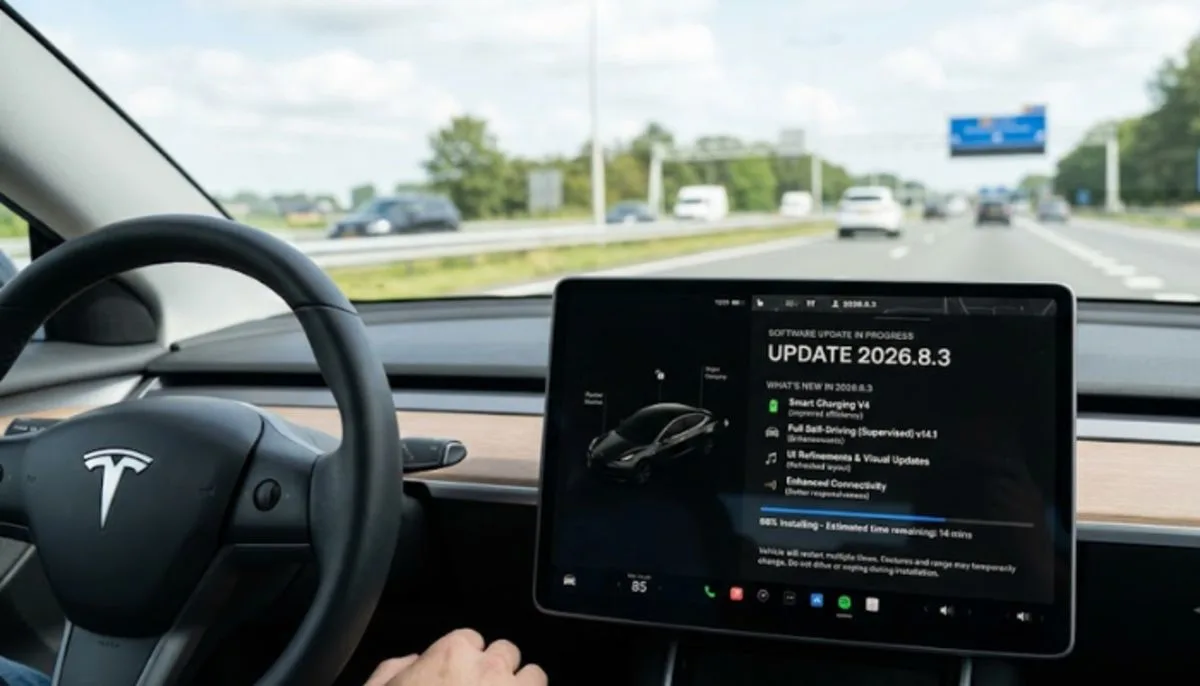
The latest Tesla software update, version 2026.8.3, makes your car brake smoother, improves your dashcam, and lets you talk to a new AI assistant called Grok to find places. This is the biggest drop of new features Tesla has put out this year . The update started rolling out to vehicles in late April 2026 and includes a bunch of changes that make driving easier and safer . Let's walk through exactly what's new, what you'll notice in the driver's seat, and when you can expect it.
What's New in Update 2026.8.3?
Tesla has pushed out a range of new features with the 2026.8.3 update. While some of these started appearing in earlier versions like 2026.2.6.5, they are now fully rolling out to more cars .
Comfort Braking Changes the Way You Stop
If you've ever driven a Tesla, you know the brakes can feel a bit grabby right at the end. That's gone now. The new Comfort Braking feature gives you a smoother feel as you come to a complete stop during routine braking .
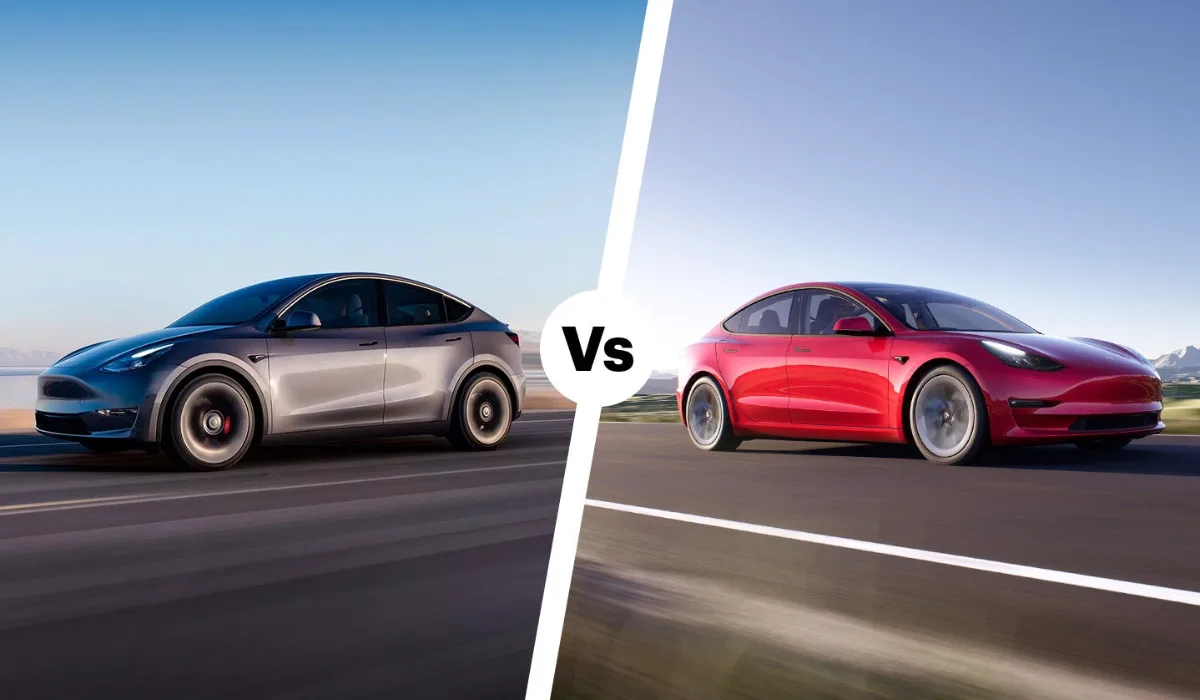
Here's the thing: This feature is only for the latest Model Y, built with the new hardware . If you're driving an older Model 3 or Model S, you probably won't get this one. It's a hardware thing. The new Y has a different brake system that can handle this smoother stop.
Read More: Tesla Model 3 Long Range Review: Real Range and Battery
Dashcam Viewer Gets Smarter
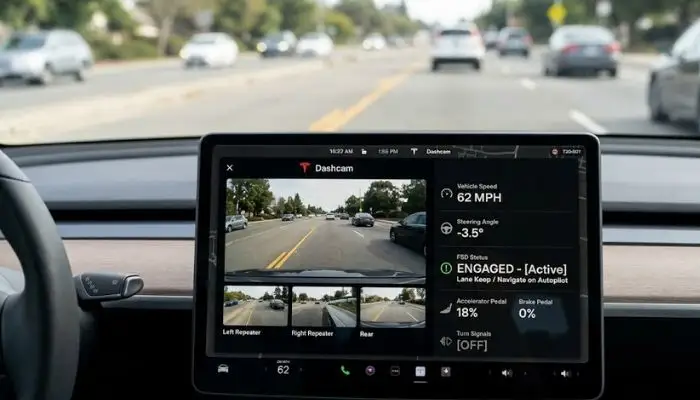
The Dashcam Viewer update is a big one. When you watch your dashcam clips back on the screen, you can now see extra information:
- Your speed at the time
- Steering wheel angle
- Whether Self-Driving was on
This info shows up on both the car's display and in the Tesla App . To watch clips on your phone, just go to Controls > Safety and turn on "View Camera via Mobile App." You'll need Premium Connectivity and the latest Tesla App version (4.51.5+) .
This is a game-changer if you're trying to figure out what happened in a near-miss. Instead of guessing if you were speeding or turning, you can see it right there on the clip.
Grok Comes to Your Tesla
This is the one everyone's talking about. Grok, the AI assistant from xAI, is now in your car. It's still in Beta, but it can already do some cool stuff .
Here's what Grok can do right now:
- Add and edit navigation destinations just by talking
- Find you the best Thai restaurant nearby
- Plan a sightseeing route
- Find a Supercharger within walking distance of a coffee shop
To use it, just long-press the voice button on your steering wheel, or go to App Launcher > Grok . You can even change Grok's personality from Storyteller to Unhinged, but you'll want to set it to Assistant to use the navigation commands .
One catch: Grok can't control other car stuff yet. If you want to adjust your climate control or open the trunk, you still use the regular voice commands .
Dog Mode Gets Better (Especially for iPhone Users)
If you have an iPhone, Dog Mode just got a lot better. When Dog Mode is active, you'll see a Live Activity on your lock screen with real-time temperature updates .
If you have Premium Connectivity, you also get periodic snapshots of the cabin, so you can actually see your dog while you're grabbing coffee .
The car will also send you a mobile alert if any door is left open while Dog Mode is active. That's a nice safety touch .
Light Show Gets a Holiday Makeover
There's a new Light Show called "Jingle Rush" . You can play it instantly or schedule it up to 10 minutes in advance. You can even sync it with friends if you want to put on a show together.
For people who really get into the Light Show stuff, there are new controls for interior lighting and display color effects. You can also create longer custom shows .
Navigation Gets Smarter
Tesla updated the Navigation system with a few quality-of-life improvements:
- You can now reorder your navigation favorites
- Set Home or Work by dropping a pin anywhere on the map
- View suggested destinations based on your recent trips and habits
There's also an option to hide suggested destinations. Just go to Controls > Navigation and turn off Destination Suggestions .
Minor Updates That Actually Matter
Tesla packed a bunch of small changes into this release that make a difference:
- Spotify Queue: You can now add tracks to your queue right from the search screen. And you can scroll through long playlists without any paging .
- Wireless Charging Control: You can now turn the wireless phone charging pads on or off in Controls > Charging .
- Lock Sound: Your lock sound now includes Light Cycle from Tron Mode. Just go to App Launcher > Toybox > Boombox > Lock Sound .
- Rave Cave: Accent lights now change color along with the beat of your music in Rave Cave mode .
The Self-Driving Stuff
One of the biggest changes in the 2026.8.3 update is actually a rollback of some FSD features. In Australia and New Zealand, Tesla rolled out FSD v13.2.9 with this update .
FSD v13.2.9 includes some serious upgrades:
- 36 Hz, full-resolution AI4 video inputs
- Native AI4 inputs and neural network architectures
- 4.2x more data scaling
- 5x more training compute
- Reduced photon-to-control latency by 2x
- Integrated unpark, reverse, and park capabilities
The next version, FSD v14.3.3, began rolling out in June 2026 . This version is a major leap forward.
Here's what FSD v14.3.3 brings to the table:
- 20% Faster Reaction Time: The engineers rewrote the AI compiler and runtime from the ground up using MLIR. This means the car responds 20% faster than before .
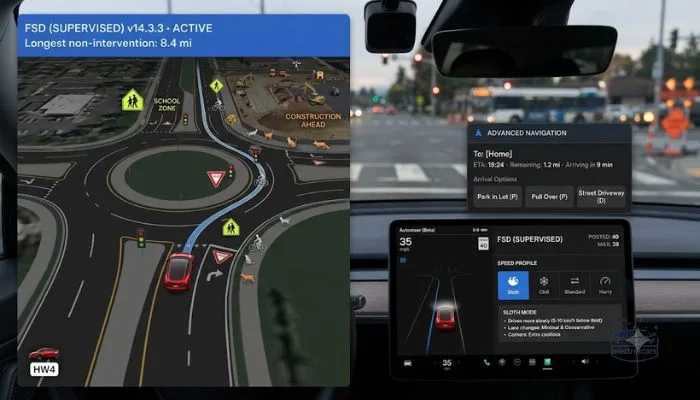
- Better at Intersections: The system can now handle complex intersections with multiple traffic lights, curved roads, and yellow light stopping .
- Smarter Decision-Making: The reinforcement learning training has been upgraded, resulting in improvements across a wider range of driving scenarios .
- Better Object Detection: The neural network vision encoder has been upgraded. This improves understanding in rare and low-visibility scenarios and strengthens 3D geometry understanding .
- Animal Handling: The system is better at handling small animals by focusing training on harder examples and adding rewards for better proactive safety .
- Driver Monitoring Improvements: The camera that watches you has gotten better with improved eye gaze tracking, better handling of eyewear, and higher accuracy in dim light .
- Intervention Tracking: You can now see how far you've driven in FSD without an intervention. The system tracks your longest intervention-free streak .
- New Arrival Options: You can choose how your trip ends. Options include Car Park, Indoor Car Park, Street Driveway, and Pull Over .
- Speed Profiles: A new "Sloth" Speed Profile joins Chill, Standard, and Hurry. Sloth is more conservative with lower speeds and cautious lane selection .
The v14 update is only available on vehicles with Hardware 4 (AI4), which includes current Model Y and Model 3 Highland models . Hardware 3 owners are waiting for a "v14 Lite" version, but Tesla hasn't given a timeline .
You May Also Read: Is Tesla Model Y Affordable After Tax Credit? Full Price
What People Are Saying About FSD v14?
Early reviews of FSD v14.3.3 in Australia are really positive. One journalist drove 33 kilometers in rainy Sydney traffic and didn't have to intervene once. The car made lane changes and overtook slower vehicles, then cut back in time to make an exit .
The biggest improvement is that the car now feels natural. In older versions, the system would wait too long to make a move. Now it's more decisive, like a human driver would be .
There's still a problem with potholes. The car will still clang through them even if other cars are swerving around them. Tesla says pothole avoidance is coming in a future update .
The driver monitoring system is also more forgiving. It's less likely to beep at you for not paying attention, but it still keeps you honest .
When Will You Get the Update?
Tesla releases software updates in batches. Not everyone gets it at once .
Here's how you can check:
- Make sure your car is connected to Wi-Fi
- Go to Controls > Software on your touchscreen
- If the update is available, you'll see it there
- If not, wait a few days and check again
Tesla started pushing 2026.8.3.6 to vehicles in China on April 29, 2026 . The update has been rolling out in other markets like Australia and New Zealand since March 2026 .
FSD v14.3.3 started rolling out in Australia on June 19, 2026 . It's part of vehicle software update 2026.16.6, which means it came out after the 2026.8.3 update .
Should You Take the Update?
Yes. Unless you have a reason not to, take the update as soon as you get it.
Here's why:
- Better Safety: The security improvements and blind spot warnings could help you avoid a crash. The blind spot warning while parked is a great example. If you open your door and a bike is coming, the car won't let the door open fully. That alone is worth the update .
- Better Driving Experience: The Comfort Braking feature (if you have the right car) makes stopping much smoother. And the Grok integration makes navigation easier.
- Better Tech: The improved Dashcam Viewer with speed and steering data gives you better evidence if something happens.
The only downside is the usual update-related bugs. Tesla usually fixes these in subsequent point releases. If you're someone who likes to wait, give it a week or two after you get the notification. By then, any major issues will have been caught .
The Big Picture
Tesla has established a rhythm of two major OTA updates per year: one in Spring and one in the Holiday season. The 2026 Spring Update is exactly this. It takes the foundation built in the Holiday 2025 update and broadens it across the fleet .
The 2026.8.3 update is a snapshot. It's what's rolling out right now. But the next Tesla software update is already in development, and it will likely include pothole avoidance, better reasoning capabilities, and maybe even support for Hardware 3 vehicles if the "v14 Lite" gets built .
The release date for the next Tesla software update will probably be in the late 2026 Holiday season, given the pattern. That's when we'll see the next big feature drop. But Tesla doesn't have a fixed schedule, so take that with a grain of salt.
For now, 2026.8.3 is what's available. And it's a good one.
FAQs
1. When is the next Tesla software update release date?
Most likely late 2026, around November or December. Tesla does two big updates a year. The Spring one (2026.8.3) is already out. The next one will probably drop during the Holiday season. No official date yet.
2. Will my older Tesla get FSD v14?
Only if you have Hardware 4 (AI4). That means newer Model Y and Model 3 Highland. If you have Hardware 3 in an older car, you're waiting. Tesla hasn't said if or when a "v14 Lite" will come for you.
3. Is Grok free to use in my Tesla?
Yes, for now. It's still in Beta. Set Grok to Assistant mode to use it for navigation. Long-press the voice button on your steering wheel. It can't control climate or windows yet. Use regular voice commands for that.
4. Does the 2026.8.3 update improve battery range?
No. This update is about comfort, entertainment, and navigation. No new battery management features here. Your range won't change.
5. What if my Tesla software update gets stuck?
Park with good Wi-Fi. Check progress in Controls > Software. If it's stuck for hours, reboot the car. Hold both scroll wheels until the screen goes black and the Tesla logo appears. Call Tesla Support through the app if that doesn't work. Don't drive during the update.